Framesandgear headset covers for premium bikes. Achieve a sleek cockpit look with model-specific and universal designs. Easy install and global shipping.
Headset covers enhance your bike’s front-end appearance and protect the interface between the stem and frame. Moreover, Framesandgear provides both model-specific and universal options designed for clean integration, improved aesthetics, and reliable fit. Additionally, these covers help manage cable and wire routing and add a refined finish to premium bikes.
Key Features of Headset Covers
Framesandgear headset covers offer both functional and visual advantages for high-end bike builds. Furthermore, each design prioritizes clean geometry and stable positioning.
Precise fit for specific brand/stem combinations, enabling seamless integration.
Universal designs for broader compatibility across stems from major manufacturers.
High-quality nylon-polyamide construction to ensure a tight, vibration-resistant connection.
Features a sleek profile that streamlines the cockpit area and enhances clean cable routing.
Easy installation that preserves the factory headset assembly and protects critical bearings.
Compatibility with Various Brands and Bike Models
Framesandgear headset covers support a wide range of premium bikes and stem setups. For example, several models, such as the Specialized Allez Sprint (MY 2022+), use a dedicated cover. Additionally, fits exist for Trek RSL systems (2020–2023) and other integrated cockpits. Consequently, riders working across different platforms can achieve a unified front-end appearance.
Therefore, whether you are upgrading a road bike, fine-tuning cable routing, or simply aiming for a refined cockpit look, this collection includes a suitable cover for your setup.
How to Install a Headset Cover
1. Remove the Top Cap
Begin by loosening the stem bolts and removing the top cap from the headset. Afterwards, gently lift off any spacers above the bearing.
2. Clean the Interface
Next, wipe the top of the headset bearing and the underside of the stem faceplate. This step ensures solid seating and prevents unwanted movement.
3. Fit the Headset Cover
Then, place the Framesandgear headset cover over the bearing stack or stem interface. Ensure proper alignment with the headset’s central axis so the cover sits flush.
4. Reassemble and Torque
Afterwards, replace the spacers and stem. Then, tighten the top cap to preload the bearings according to manufacturer specifications (usually ~1 Nm). Finally, secure the stem bolts to the correct torque value.
5. Final Check
Lastly, rotate the handlebars to confirm smooth bearing operation and verify that the cover remains stable. A short test ride will help ensure that nothing shifts under load.
Additional Framesandgear Accessories
In addition to headset covers, Framesandgear offers a comprehensive selection of precision-machined components for high-end bikes. Furthermore, each accessory shares the same functional principles and cohesive design language.
Bike computer mounts for integrated and non-integrated handlebars
As a result, riders can maintain a consistent visual style and technical standard across their entire bike.
Shipping & Support
Framesandgear ships worldwide with tracked delivery. Each component is supplied with the required mounting hardware where applicable, making installation straightforward. Technical support is available to confirm compatibility, with replies typically within one business day.
Upgrade Your Cockpit Finish
Explore the Framesandgear headset cover collection to give your bike’s front end a refined, integrated look with a secure fit and clean aesthetics. Therefore, choose either a model-specific cover or a universal version that matches your setup, and enjoy a polished ride.
Trust
Worldwide shipping
Free shipping on orders over €50, with tracked delivery in 1–11 business days
If you have any questions please check out our FAQ for frequently asked questions or write us a direct message with your concern. We’ll get back to you within a day.


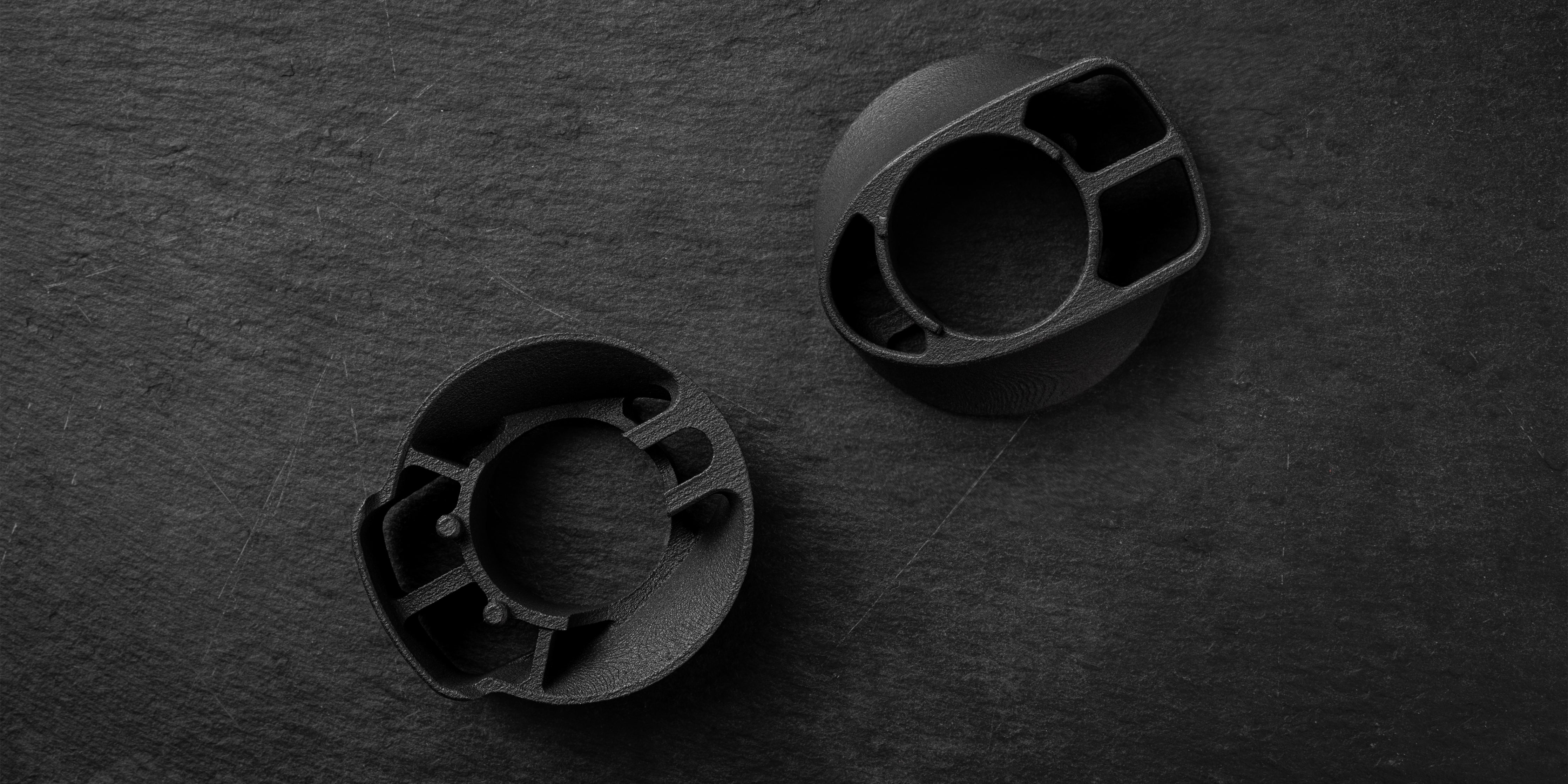
 $55.00 / Framesandgear Specialized Allez Sprint Headset CoverClean Headset CoverIntegrated Stem FitSub-10 g
 $49.00 / Framesandgear Cannondale Supersix LAB 71 Headset Cover for Vision ACR/ EVOClean Headset CoverLAB71 ACR/EVO FitSub-10 g
 $49.00 / Framesandgear Headset Cover for Supersix for Vision ACR/ EVOClean Headset CoverSuperSix ACR/EVO FitSub-10 g
 $49.00 / Framesandgear Headset Cover for Systemsix for Vision ACR/ EVOClean Headset CoverSystemSix ACR/EVO FitSub-10 g
 $49.00 / Framesandgear Trek Universal Stem Headset Cover (2023+ MY)Clean Headset Cover2023+ Stem FitSub-10 g
 $49.00 / Framesandgear Trek Universal Headset Cover (Pre 2022)Clean Headset CoverPre-2022 Stem FitLight Nylon Build
 $49.00 / Framesandgear Trek RSL Stem Headset Cover (2023+ MY)Clean Headset Cover2023+ Stem FitSub-10 g
 $49.00 / Framesandgear Headset Cover for Roval Rapide for SL7Clean Headset CoverRapide-to-SL7 FitLight Nylon Build
 $49.00 / Framesandgear Trek RSL Headset Cover (2020-2022)Clean Headset CoverRSL Stem FitLight Nylon Build


